Product
One platform. Unlimited capabilities. Zero lost documents.
DocumentsOS covers the entire document lifecycle — registration, routing, signature, automation, and analytics — in a single, secure system.
Explore every capability
Document Core — Incoming, Outgoing & Internal
Manage the full lifecycle of every document. DocumentsOS registers, numbers, and tracks incoming correspondence, outgoing letters, and internal memos with complete, auditable circulation.
Configurable Document Types
Define new document types. Configure fields, numbering rules, required attributes, and routing per type from a simple admin interface.
Business Process Automation
Model approvals, reviews, and escalations with a visual workflow engine. Documents route automatically by type or content — no manual hand-offs.
E-Signature
Sign and approve documents electronically with a legally recognized e-signature. Track signing status and keep a complete, tamper-evident audit trail.
OCR
Turn scanned paper into searchable, structured text. Built-in OCR with support for Georgian and multilingual documents.
AI Integration — OpenAI & Anthropic
Summarize, classify, extract, and draft with AI built into the document flow. Connect OpenAI and Anthropic models to speed up handling and decisions.
Task Management
Assign tasks, manage deadlines, track progress, and keep teams aligned from start to finish.
Dashboards & Analytics
See document volumes, processing times, bottlenecks, and workloads at a glance. Real-time dashboards for operational and executive insight.
Microsoft 365 Integration
Work where your team already works. Native integration with Microsoft 365 office.
Role-Based Security
Role-based access control with security levels and full audit logging. The right people see the right documents — nothing more.
A tour of DocumentsOS
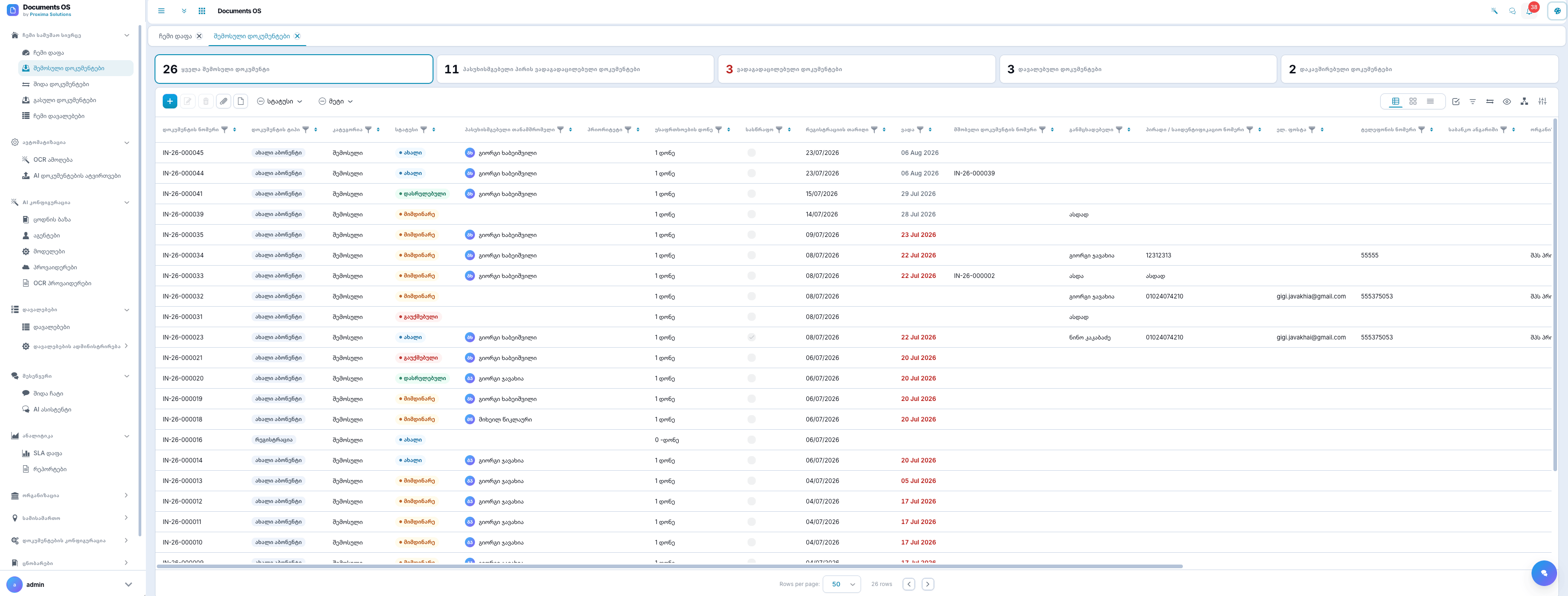
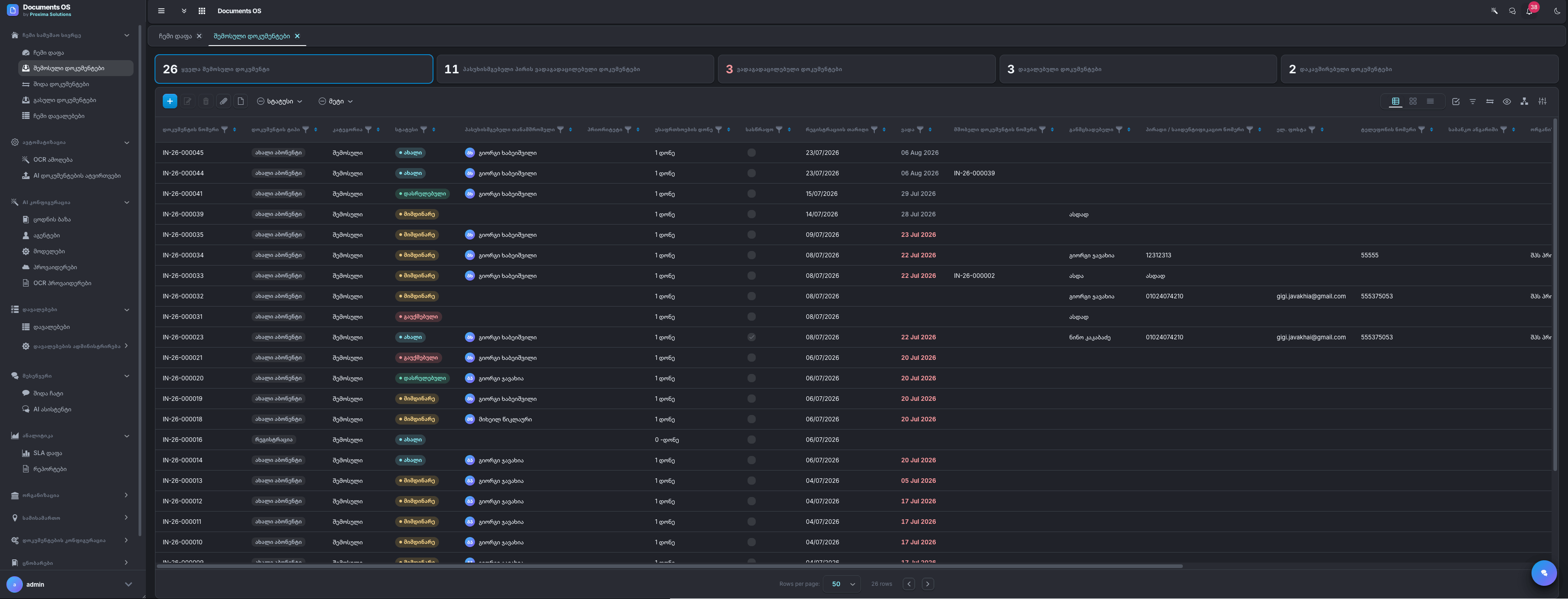
Every document in one registry
Incoming, outgoing, and internal documents live in one dense, filterable registry — status, responsible employee, due dates, and SLA warnings visible at a glance.
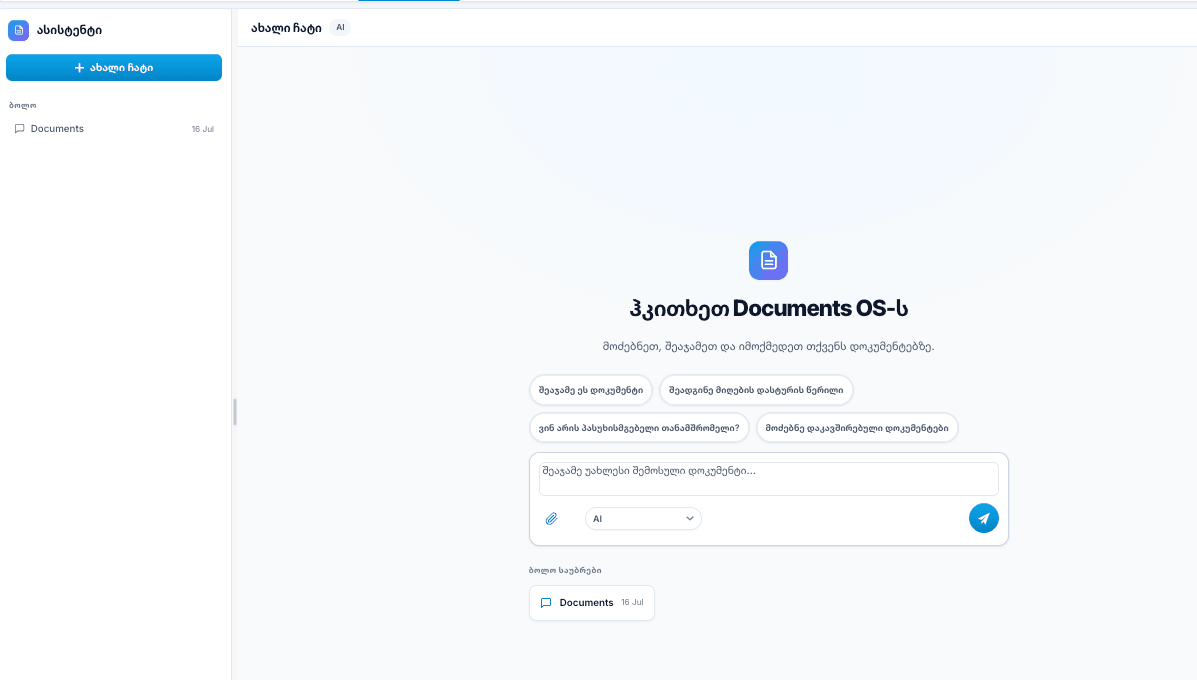
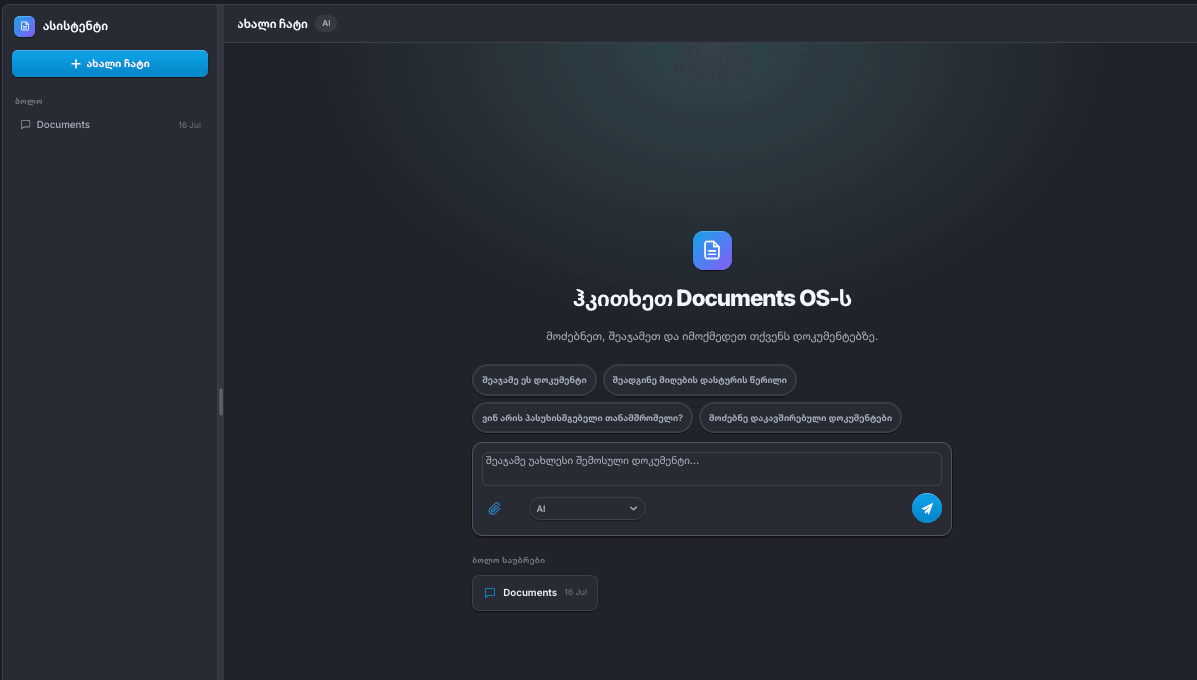
Ask your AI anything
Summarize a document, draft a response letter, find who's responsible, or surface related files — in plain language.
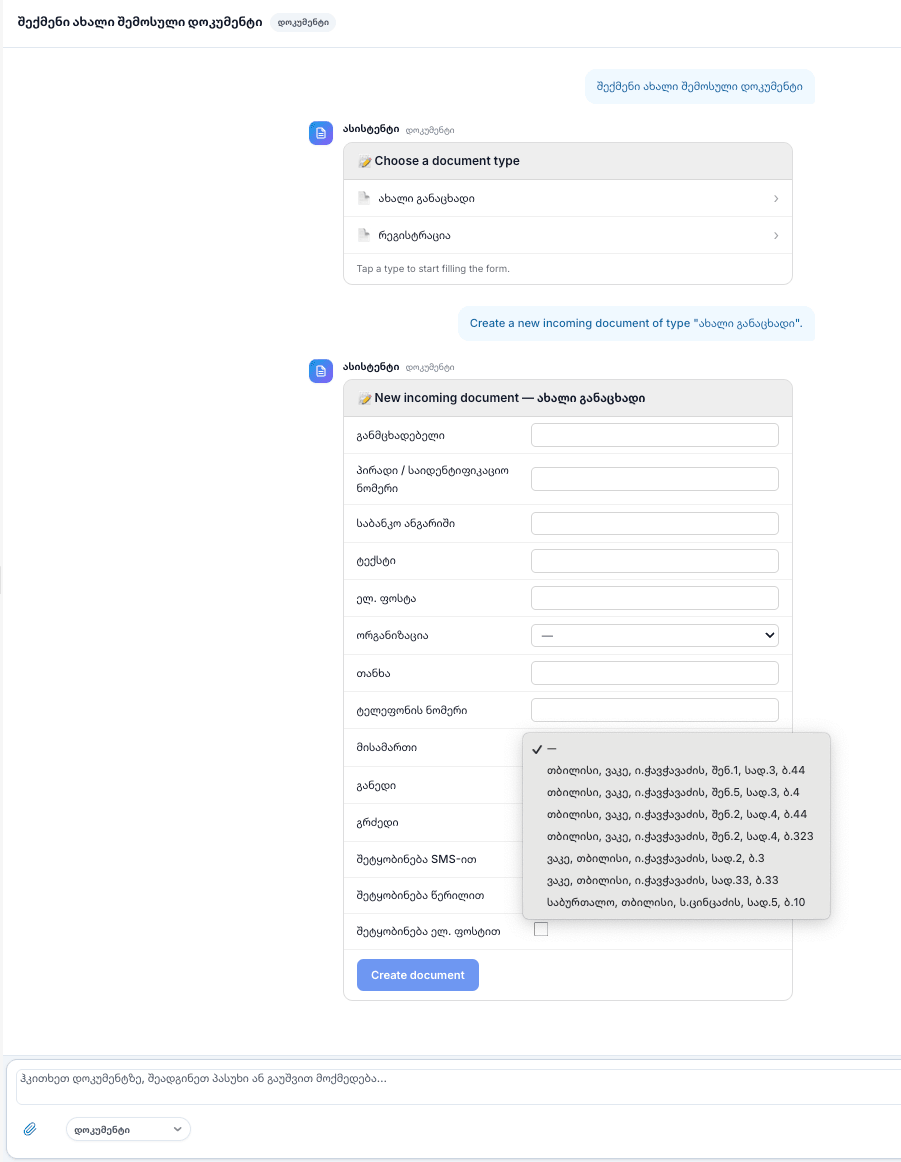
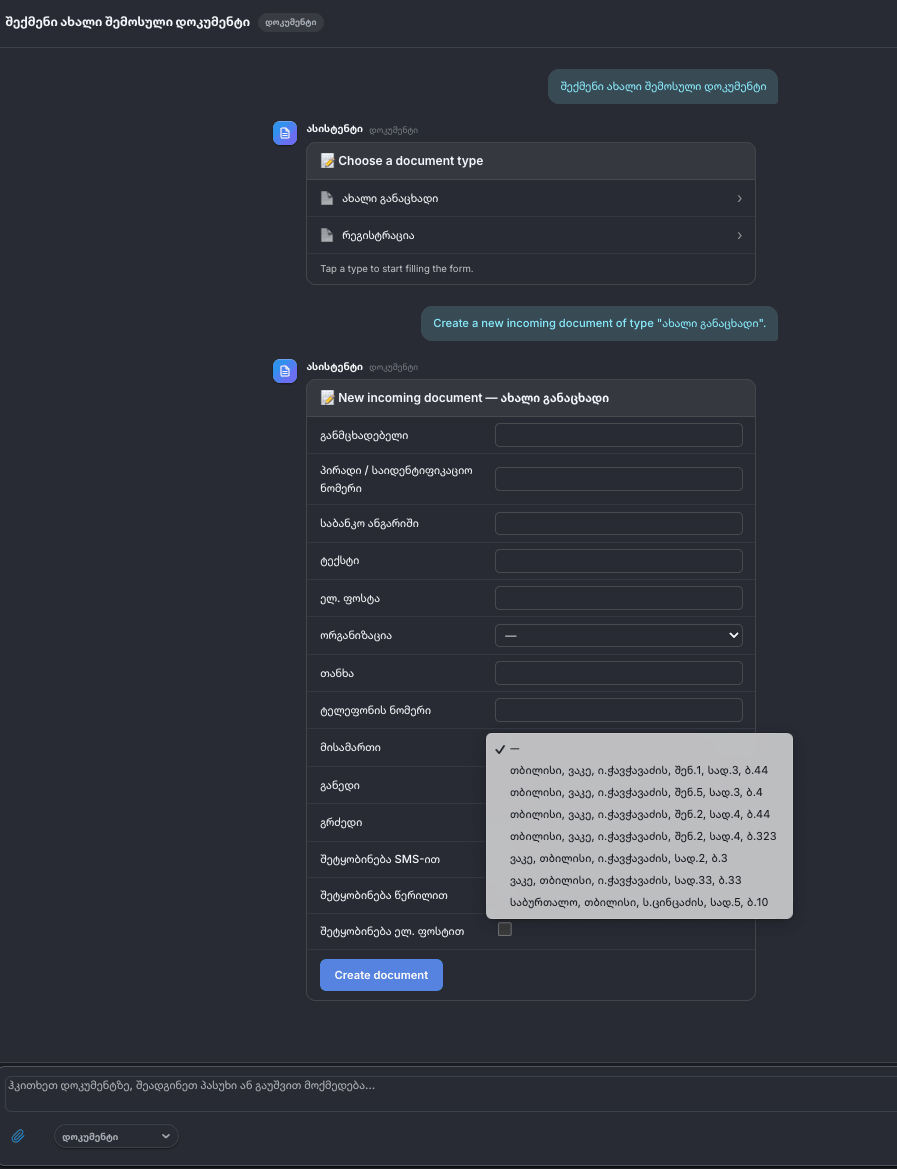
Create documents just by asking
Tell the assistant what you need in plain language. It offers the right document type, fills a guided form with you inline, and creates the document — all without leaving the conversation.
See how documents connect
Every reply, amendment, and related file stays linked. The relations chart maps the full chain around any document, so context is never lost.
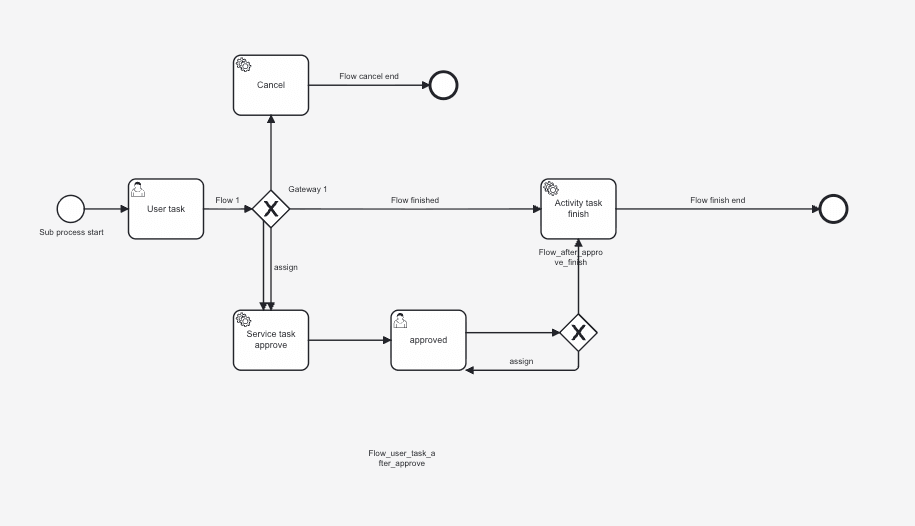
Design approval flows visually
Model review and approval processes in a visual BPMN editor.
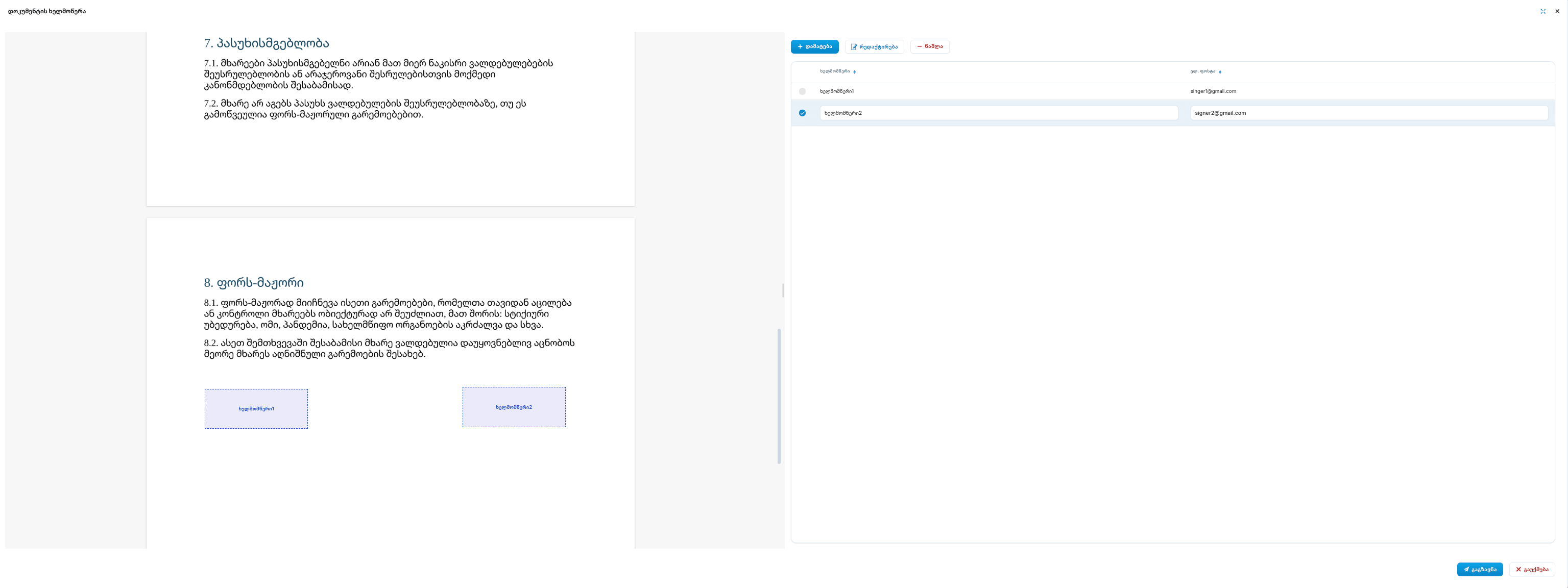
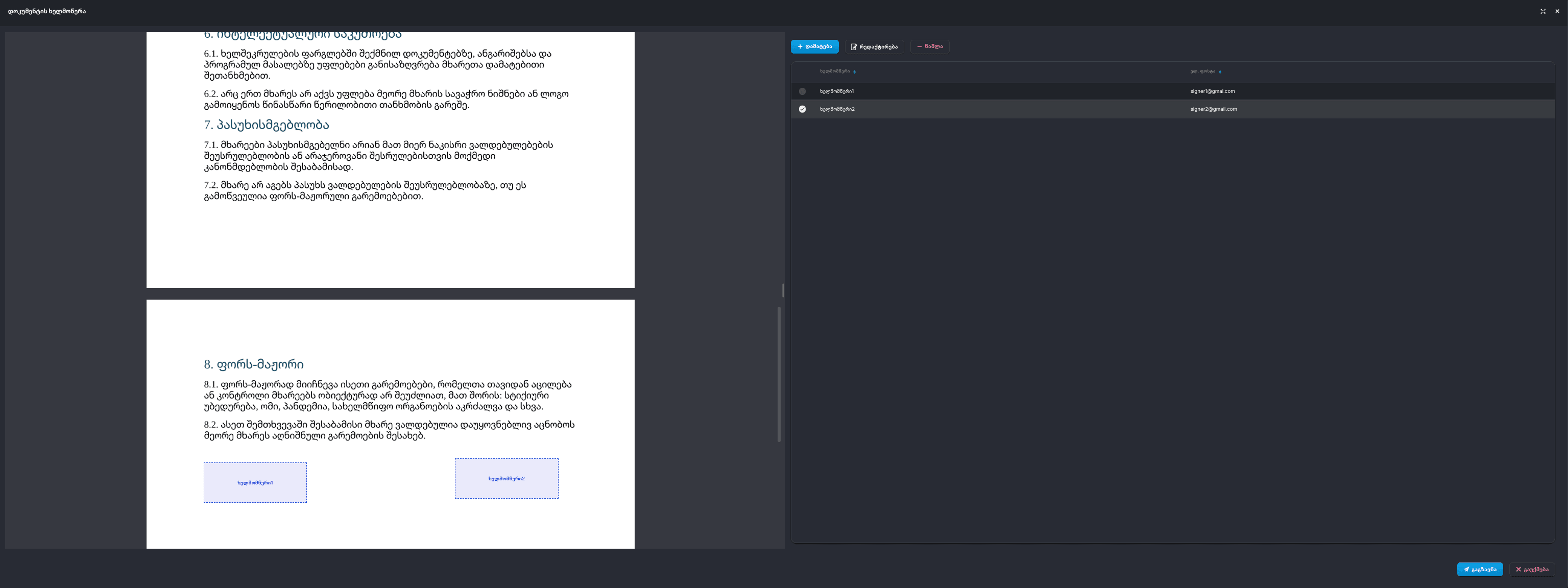
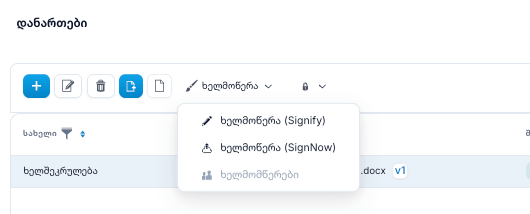
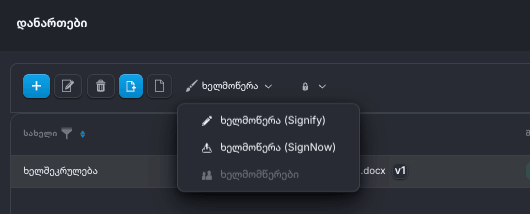
Sign without leaving the platform
Place signature fields directly on the document, add signers, and send it for a legally recognized e-signature through the provider you prefer.
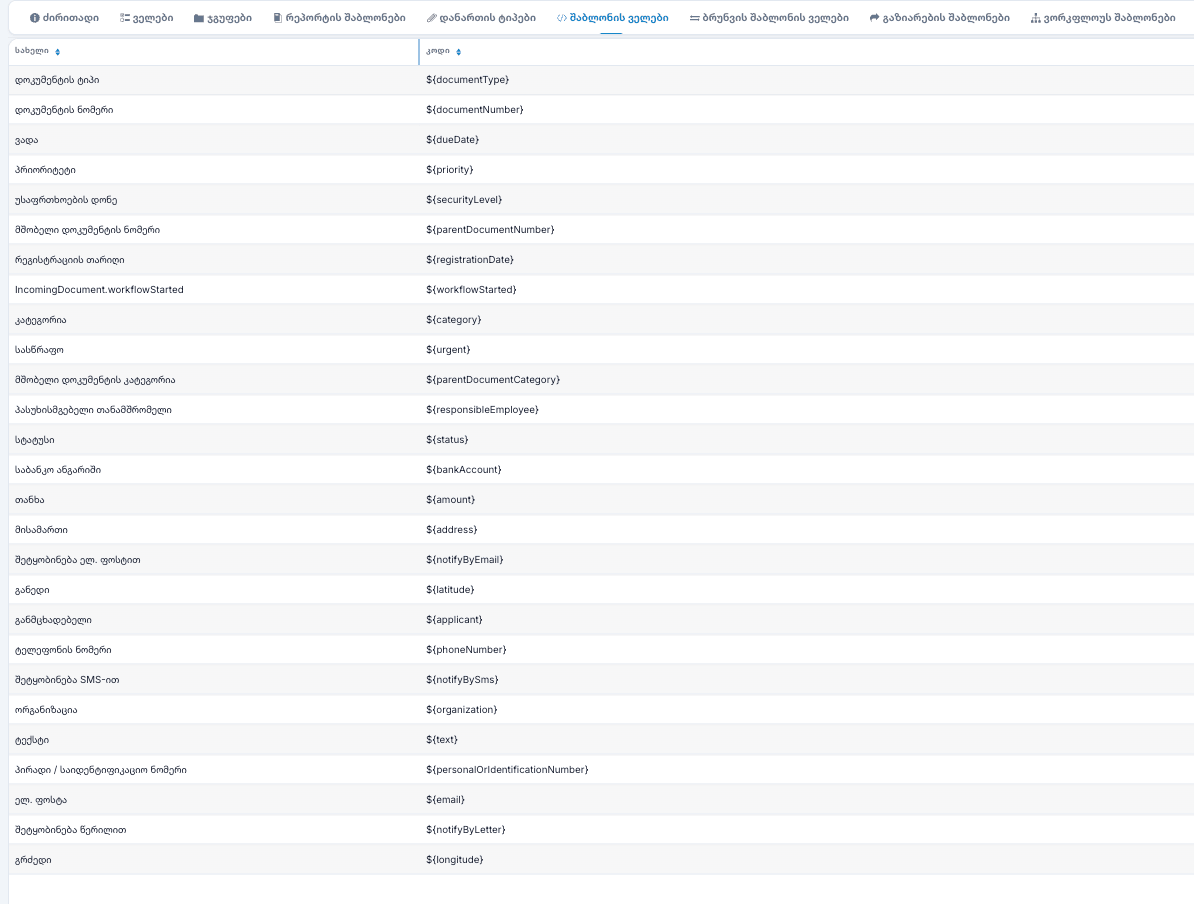
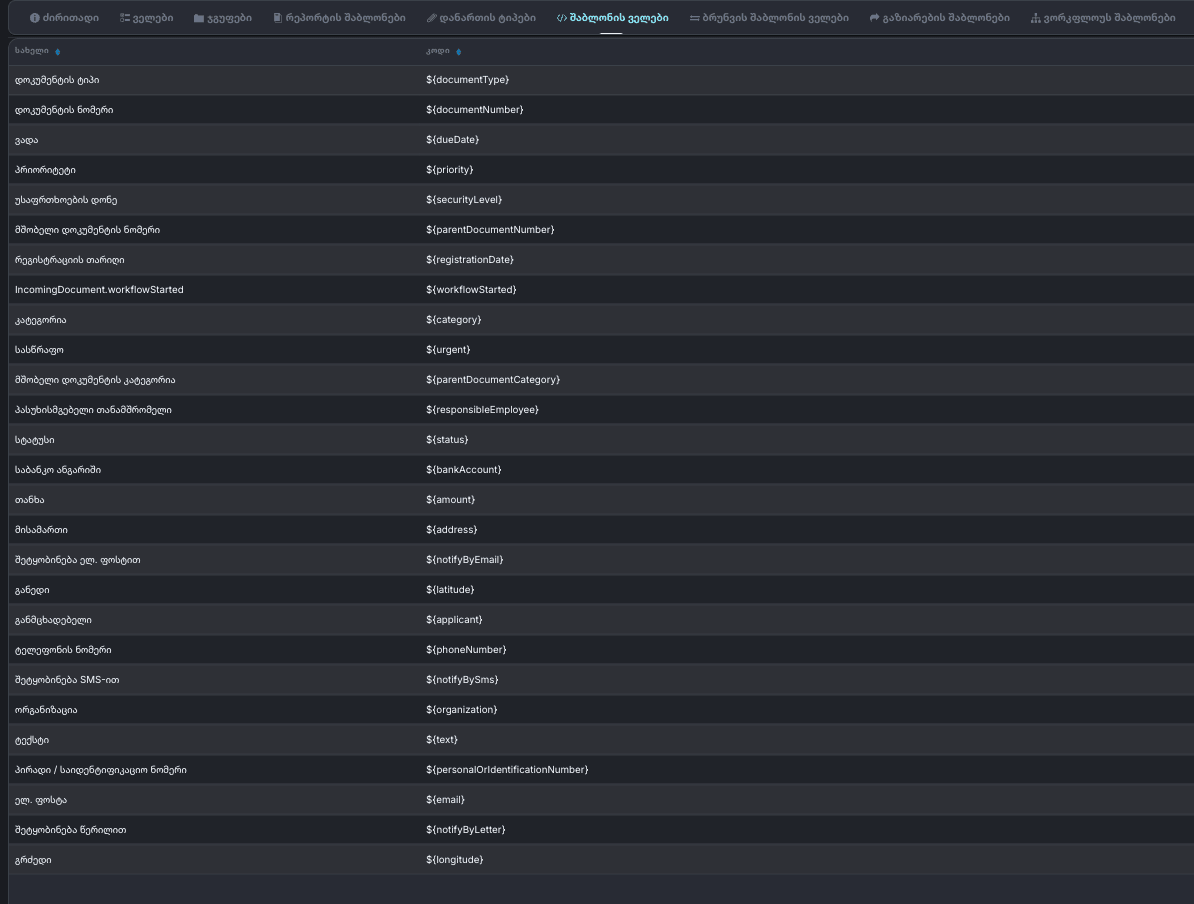
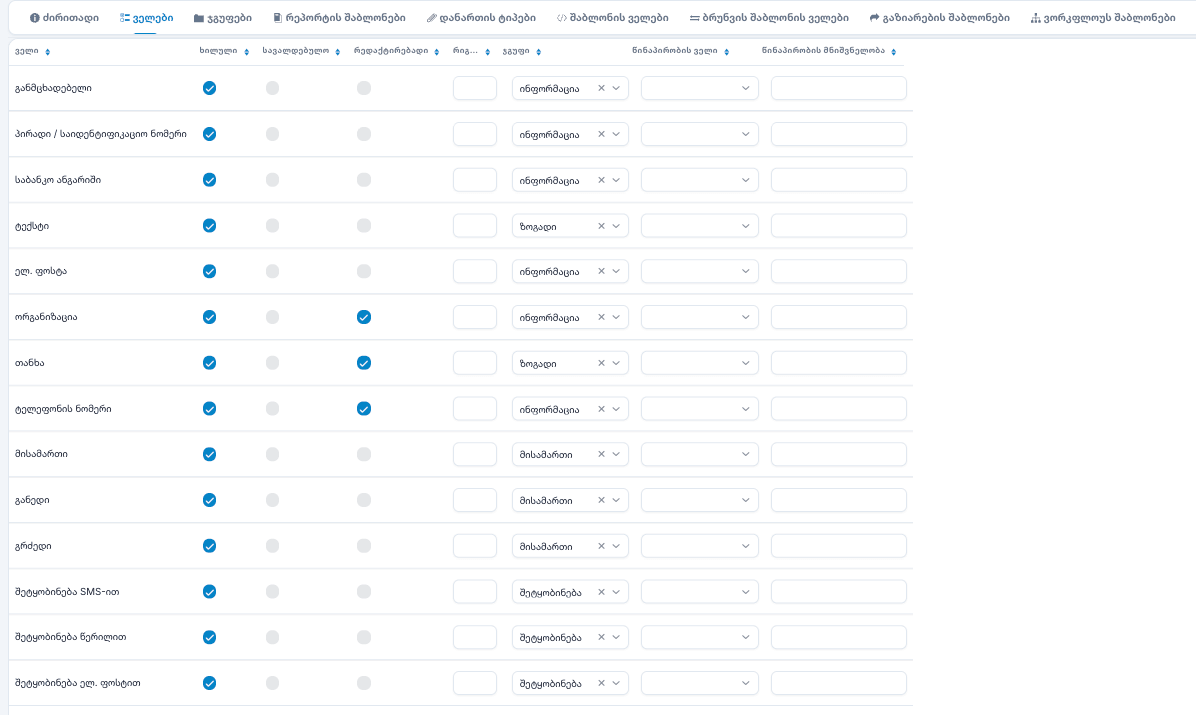
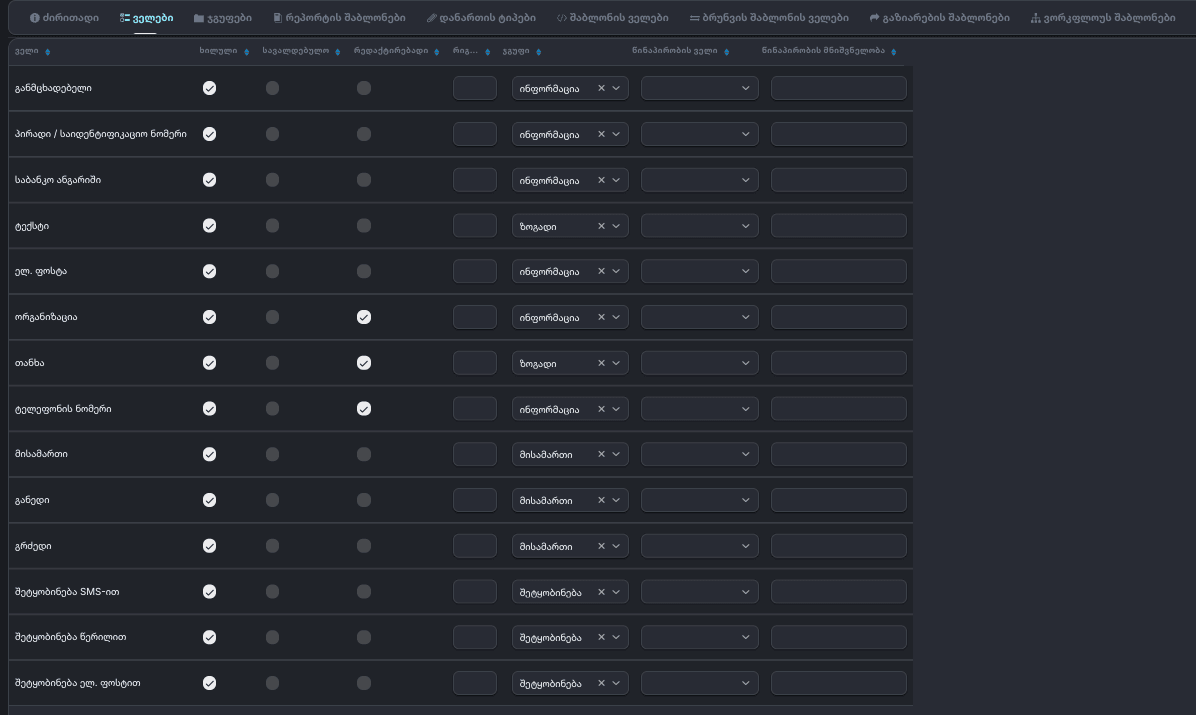
Templates that fill themselves
Build document templates with placeholders that pull live data — numbers, dates, applicants, amounts — and configure exactly which fields each document type shows and requires.
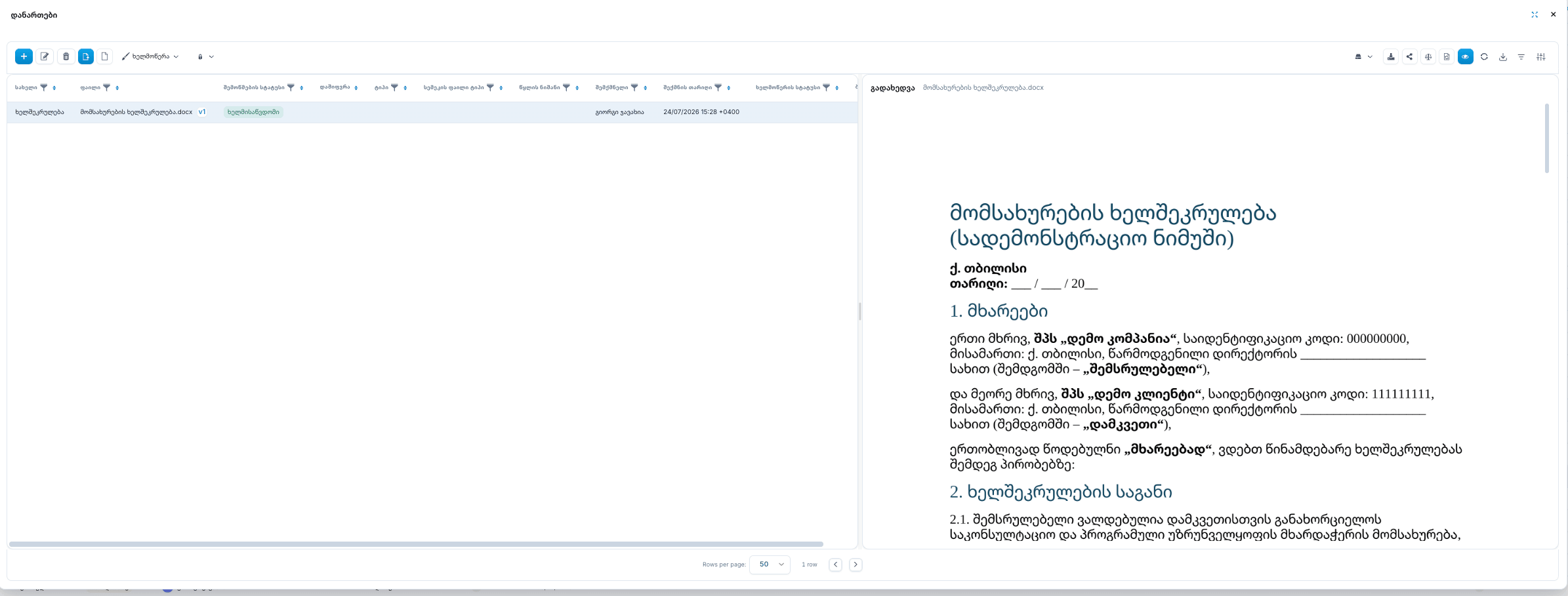
Preview and protect attachments
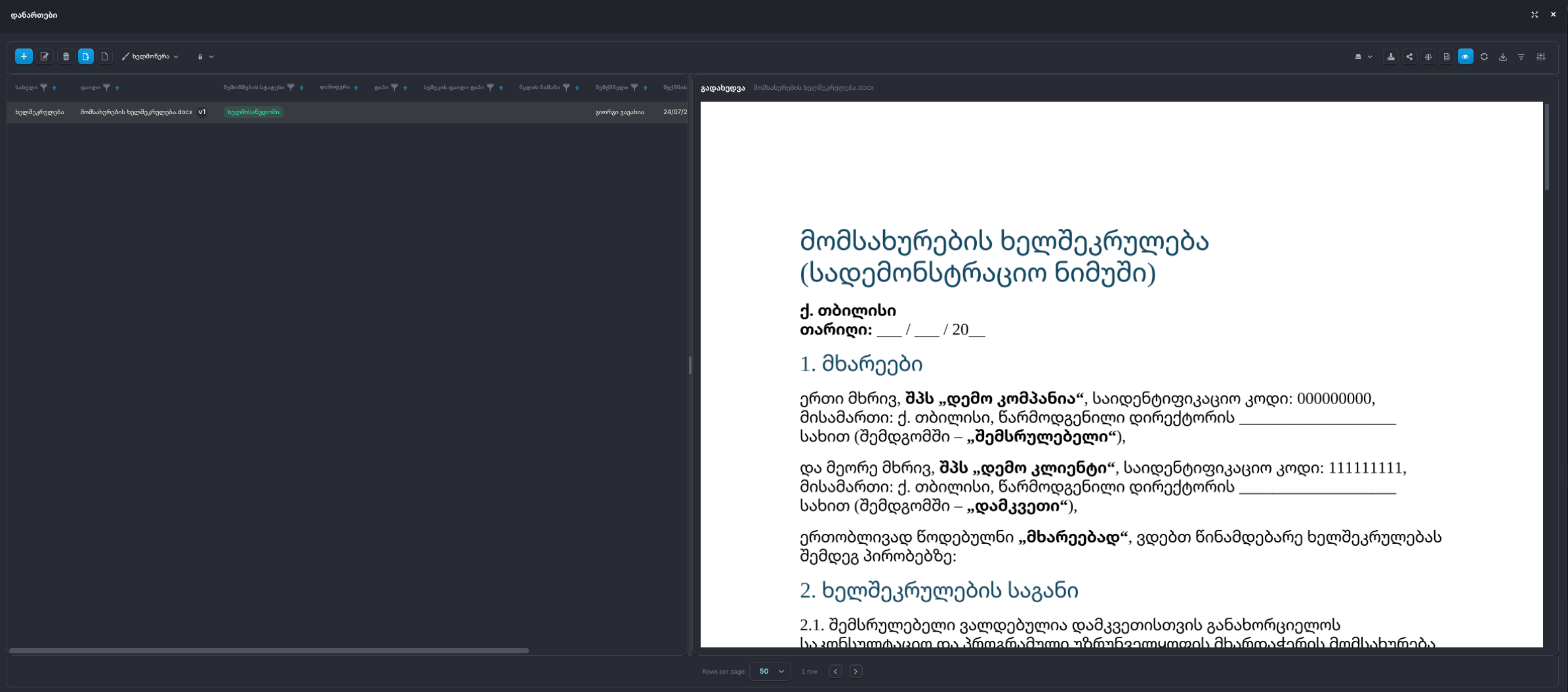
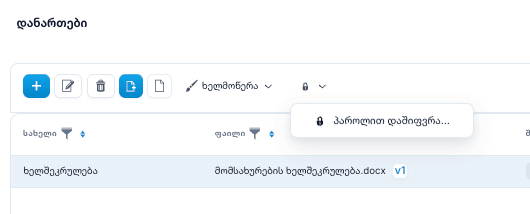
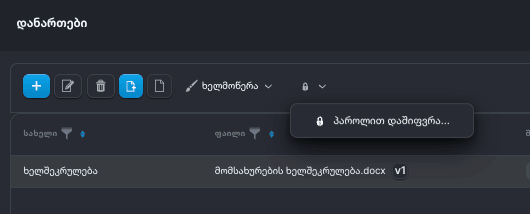
Open Word and PDF attachments in an instant preview with versioning — and protect sensitive files with a password when needed.
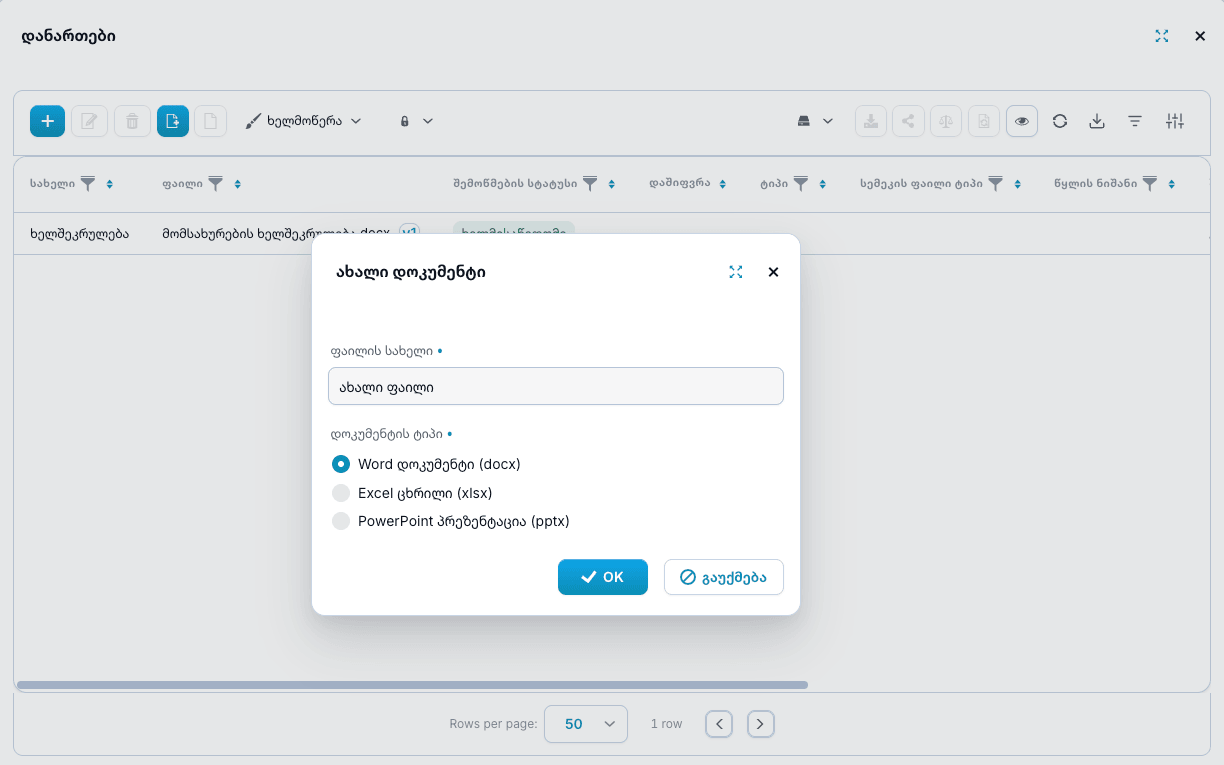
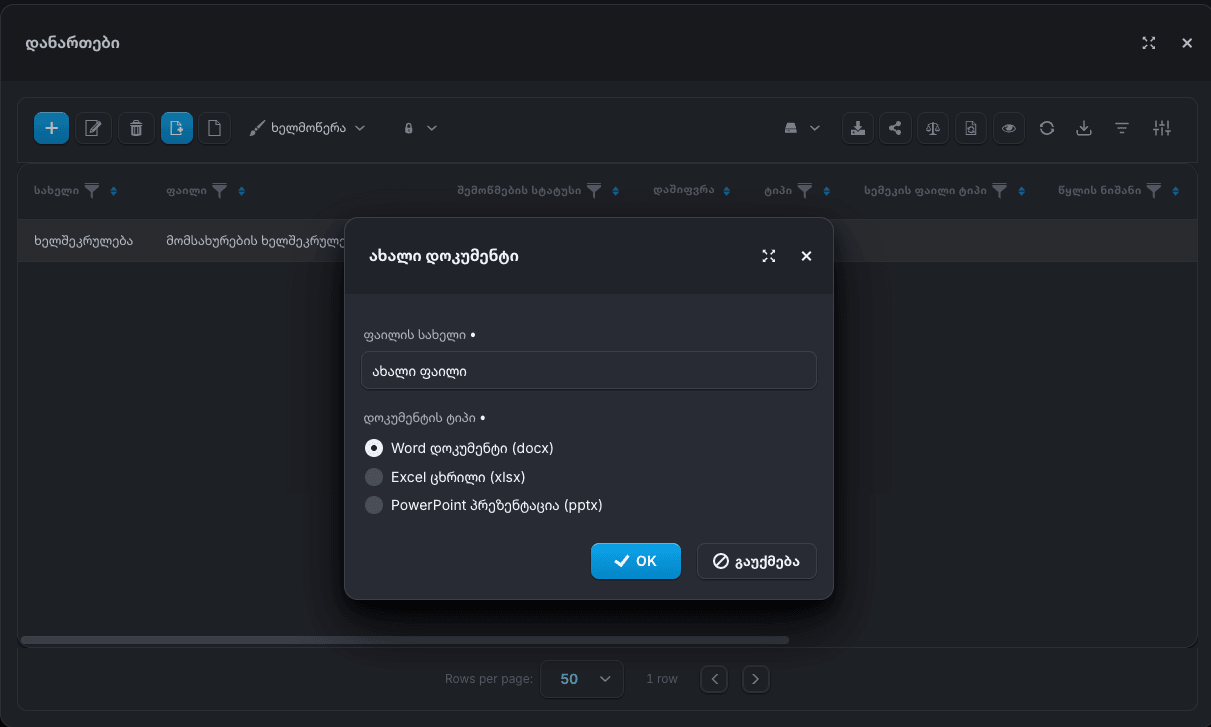
Start new Office files in seconds
Create a new Word, Excel, or PowerPoint file directly inside DocumentsOS — just name it and pick the type. No desktop apps and no downloads to get started.
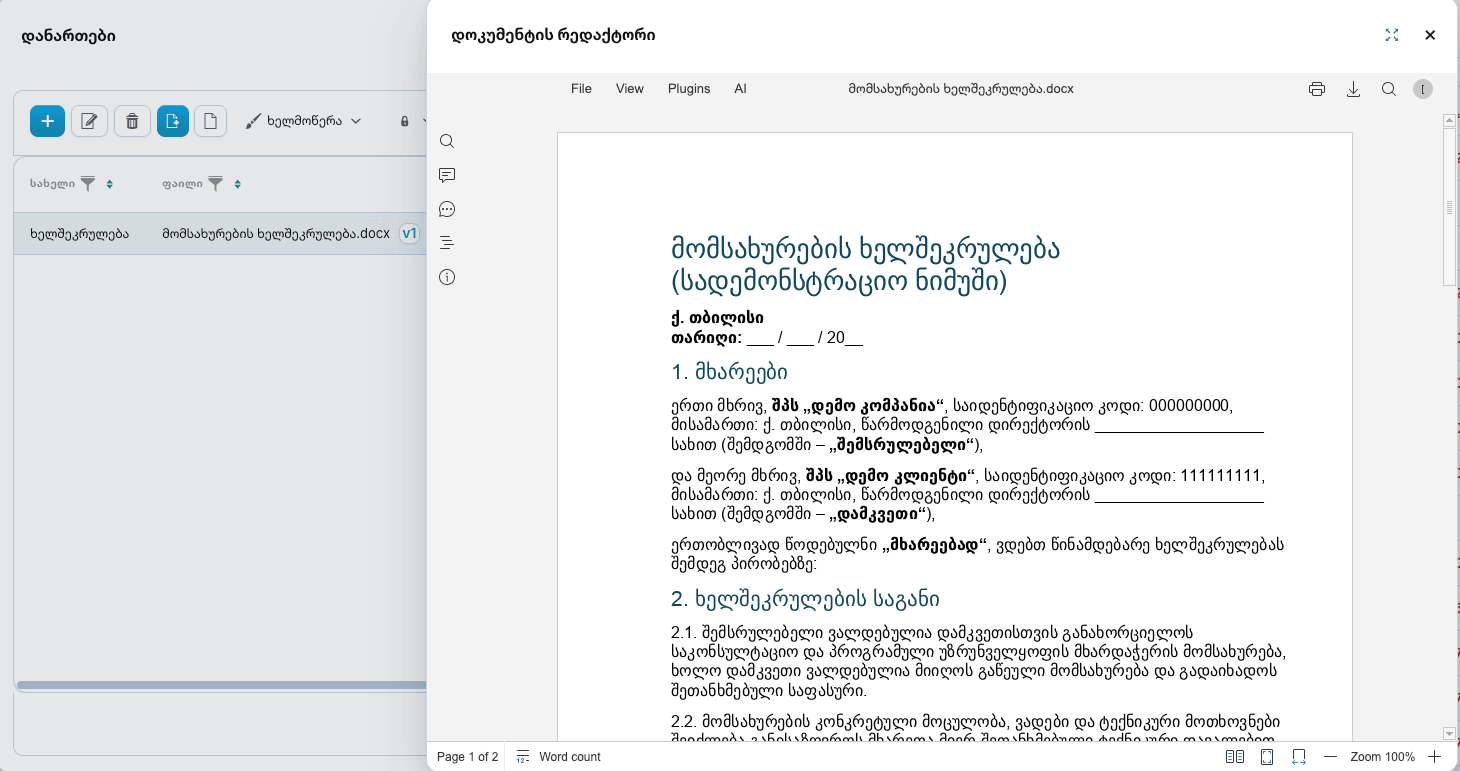
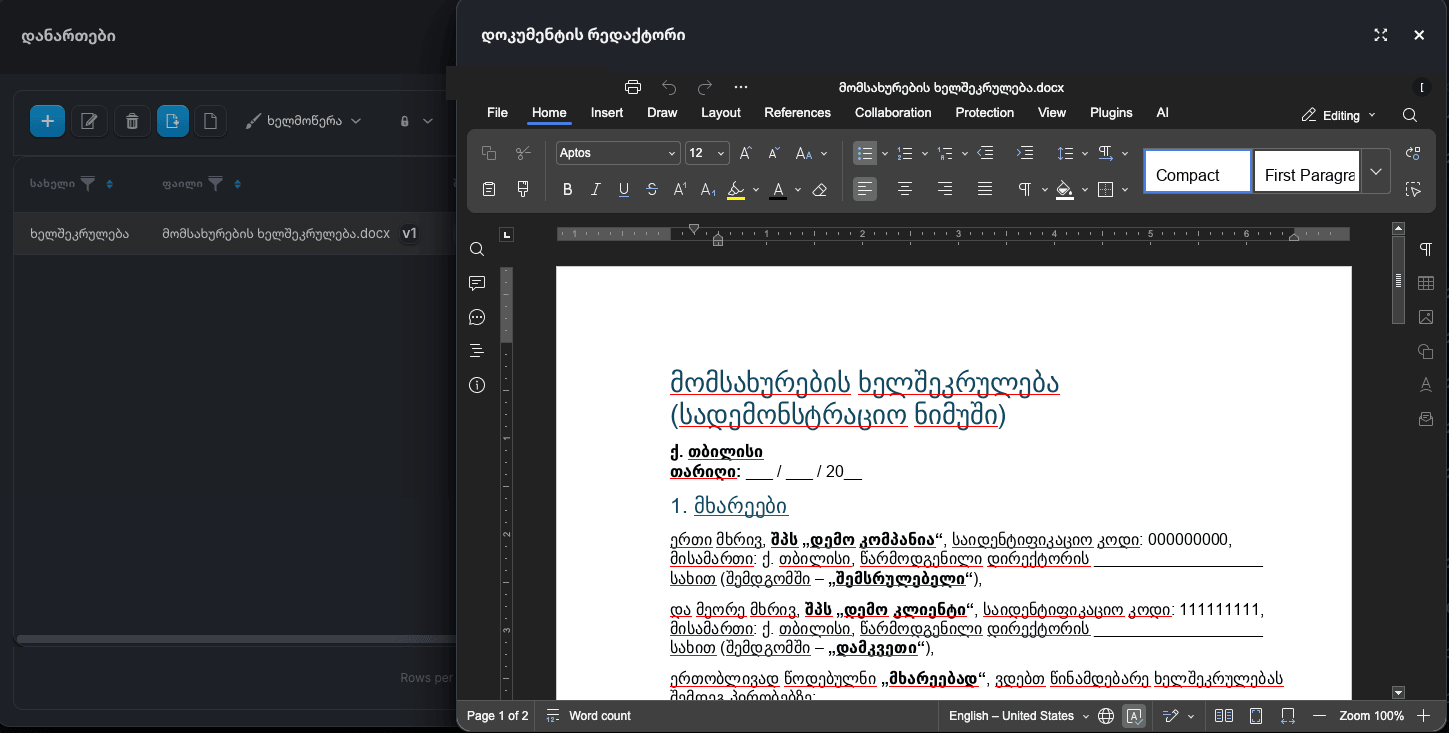
Edit and review documents without leaving the platform
Open any Office file in the built-in editor — full editing with track changes and comments, or a clean read-only view.
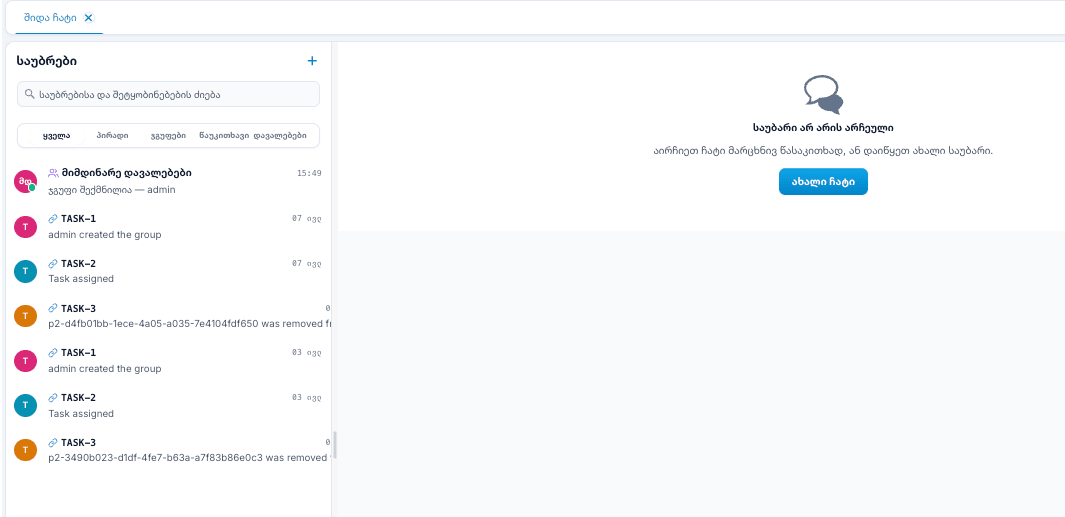
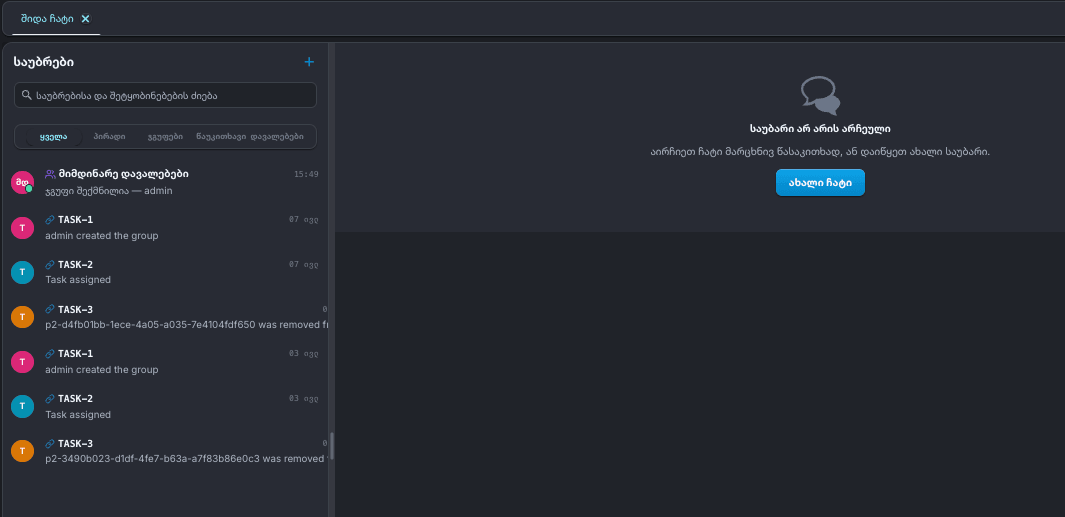
Discuss work where it happens
Built-in chat keeps conversations next to documents and tasks — direct messages, groups, and automatic task channels.
Best-in-class services, built into the document flow.
OCR
OpenAI
Anthropic
Microsoft 365
Role-based access
Granular permissions by role, department, and security level.
Complete audit trail
Every view, change, and signature is logged and tamper-evident.
Security levels
Classify documents and control exactly who can see what.
Ready to take control of your documents?
See DocumentsOS in action with a personalized demo for your organization.
Request a demo